

Zoho solutions. One connected operation.
Bring customer relationships, finance, inventory and internal work into a carefully configured ecosystem built around your business.
Let’s talk systems01Start with how you work
A suite of apps becomes useful when the work connects.
Choosing applications is only the beginning. We help define the records, permissions and handoffs that make a Zoho setup usable across departments, then support the people who will rely on it every day.

Configuration with a business purpose.
- Process discovery and application selection
- Configuration, roles and approval rules
- Data cleanup and migration planning
- Supported integrations and reporting
- Training, rollout and adoption support
App selection and integration scope are confirmed against your requirements, region and subscriptions.
02The product ecosystem
The right applications, working together.
Explore the role each app can play. We select the combination your processes need and connect it deliberately.
Customers & growth
Connect acquisition, relationships and customer service.
Finance & operations
Keep orders, accounts and operational reporting aligned.
People & collaboration
Give internal teams a connected way to work.

Zoho CRM
Shape lead capture, pipeline stages, ownership and follow-up around your sales process.
Zoho, Zoho Analytics, Zoho Books, Zoho Campaigns, Zoho Creator, Zoho CRM, Zoho Desk, Zoho Flow, Zoho Forms, Zoho Inventory, Zoho Mail, Zoho People, Zoho Projects, Zoho Recruit, Zoho Sign and Zoho Social are trademarks of Zoho Corporation Private Limited and/or its affiliates. Official app assets.
03From apps to an operating system
Follow the work across departments.
A sales opportunity becomes an order, an invoice and a reporting input. Below, an illustrative architecture and original working views explain the handoffs without imitating a vendor interface.
A pipeline with a next action.
Illustrative work items, not a Zoho product screenshot or live account data.
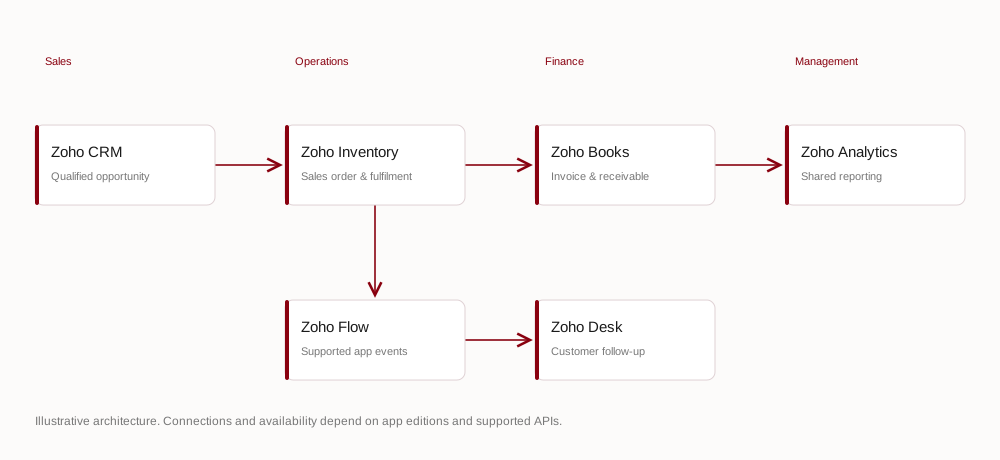
Swipe to explore the full diagram →



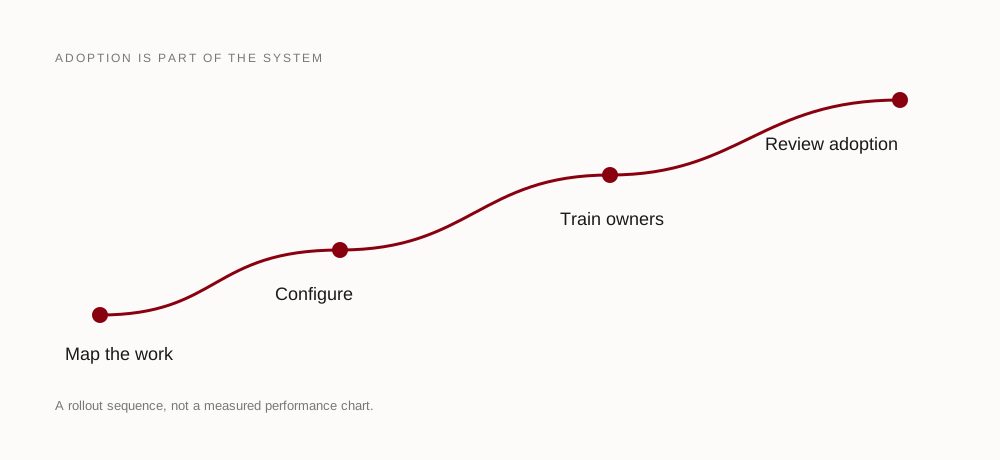
Swipe to explore the full diagram →
04A rollout your team can use
The setup is only as strong as its adoption.
Fit the real process
Agree ownership, naming conventions and role-based access before adding complexity.
Move data carefully
Map fields, test imports and reconcile records before switching everyday work.
Make the handover practical
Train teams by role and leave a clear route for administration and ongoing improvement.
A useful next step
Make your Zoho setup work as one.
Tell us where work gets disconnected today. We’ll help map the applications, data and people involved in a more coherent setup.