

Make the process move.
Turn approvals, requests and departmental handoffs into a clear, connected flow, with business rules that make ownership and exceptions visible.
Let’s talk systems01Work without the chasing
The work is familiar. The waiting should not be.
A purchase waits in an inbox. A missing reference stops an invoice. Nobody is sure who owns the next step. We translate that everyday friction into a process with clear inputs, rules, responsibilities and escalation paths.
Designed for the exceptions, too.
A useful workflow handles what happens when a request is incomplete, an approver is unavailable or a system update fails.
- Purchase and invoice approval routes
- Employee and supplier onboarding
- Departmental requests and handoffs
- Notifications, reminders and escalations
- Operational queues and process visibility

02Business rules, made visible
Try the approval before you build it.
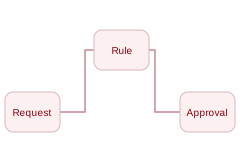
Change the purchase amount to add a finance checkpoint. Remove supplier information to see the exception route.
Define the request.
Example rule: purchases above $5,000 also require finance approval.
Ready for submission. The route updates as the amount changes.
Manager approval route
Submit purchase request
Supplier, purpose and amount recorded.
Manager approval
Budget owner checks the business need.
Release purchase order
Create the order and notify the requester.
Receipt, invoice matching and payment authorization happen after the purchase order. This example does not authorize payment.
03The end-to-end process
A purchase is more than an approval.
Connect the request to the order, the receipt and the invoice. A named owner handles missing information; finance sees the matched record before payment authorization.
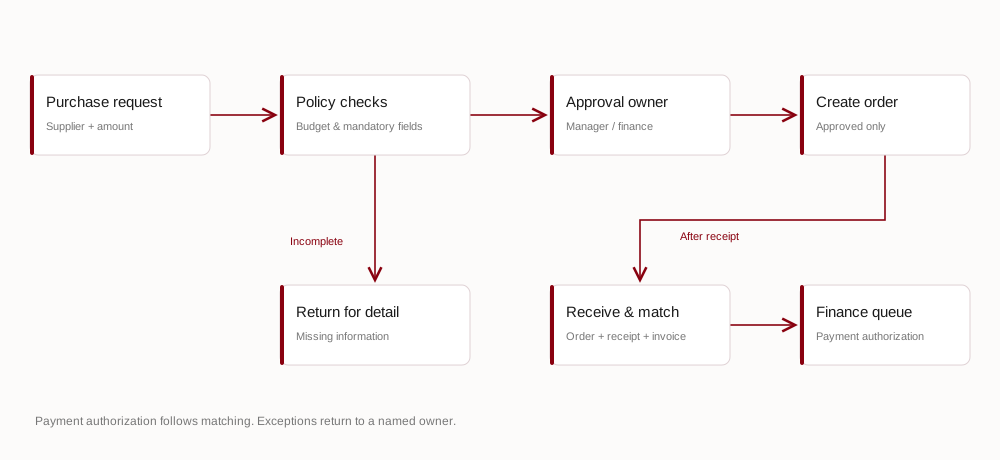
Swipe to explore the full diagram →
Define the work
Map the current process, exceptions, owners and desired outcome.
Build the rules
Set thresholds, approvers, required fields and notification paths.
Operate with visibility
Track waiting work, failures and handoffs with a clear support owner.
04Control without the bottleneck
Keep the checks. Improve the flow.
Accountable handoffs
Every request has a current owner, a status and a next step.
Useful notifications
Remind the right person and escalate by policy rather than adding inbox noise.
Reviewable decisions
Capture approvals and changes so teams can understand how work progressed.
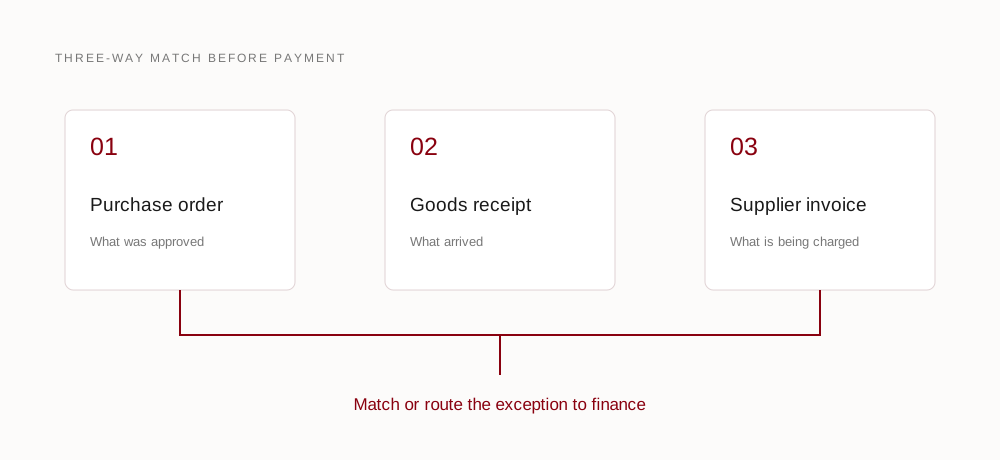
Swipe to explore the full diagram →
A useful next step
Bring us the process that gets stuck.
Start with one request, approval or handoff. We’ll help make its rules, responsibilities and next steps clear.